The Complete Guide To Your eNurse

Starting a new treatment is exciting, but it can also come with questions. That’s exactly why we created eNurse.
eNurse is a built-in feature inside the Musely app that guides you throughout your treatment. It helps you stay consistent, track your progress, and get personalized tips along the way.
Whether you're treating dark spots, signs of aging, hair thinning, or other concerns, eNurse is there to help you get the most out of your treatment.
What Is eNurse?
eNurse is an automated check-up assistant available inside the Musely app. It walks you through your treatment step by step and helps you stay on track.
During your check-ups, eNurse will ask a few simple questions about how your skin or hair is responding. Based on your answers, it can provide guidance, helpful tips, and suggestions tailored to your treatment.
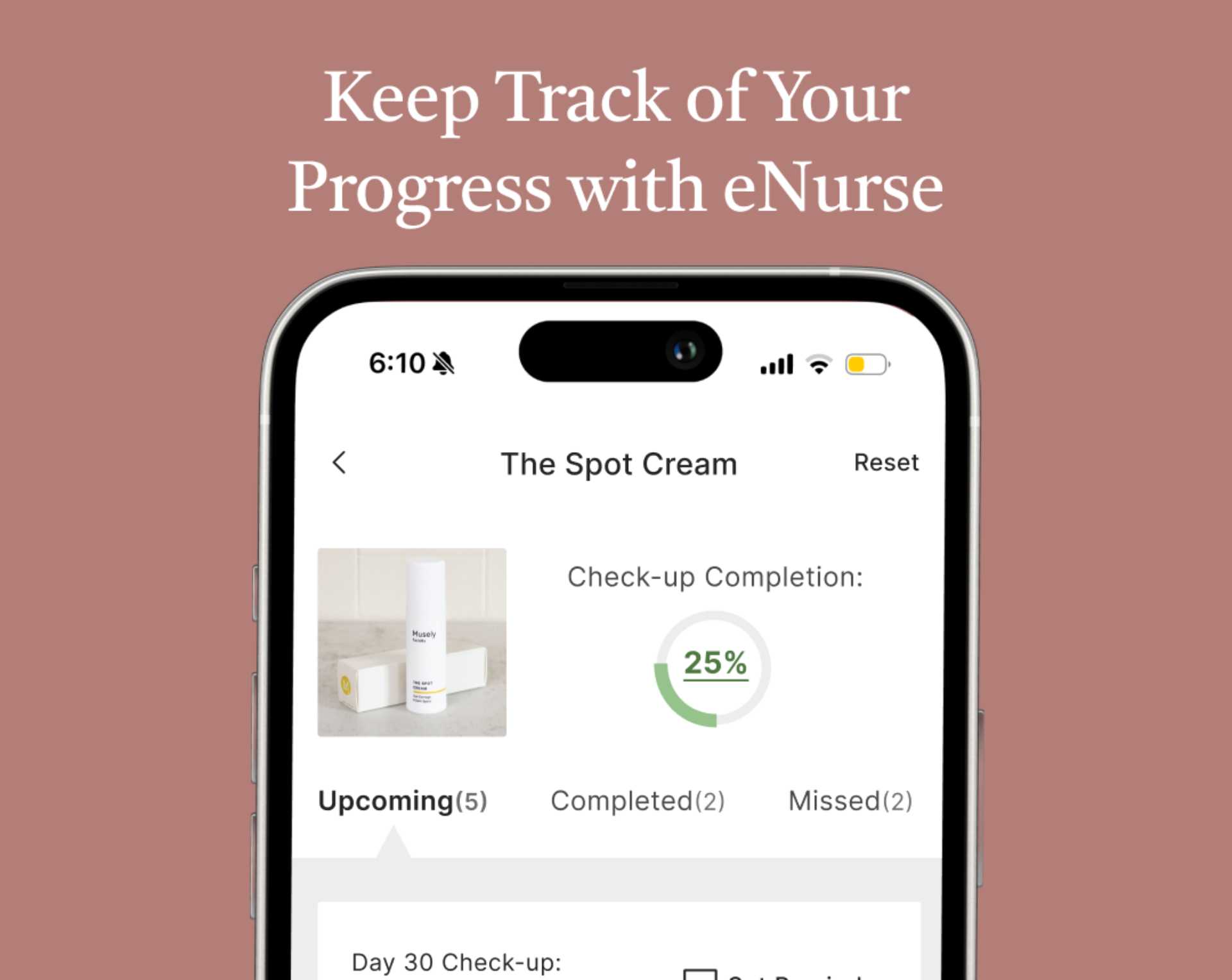
You can also view your completed, upcoming, and missed check-ups directly from your dashboard.
To get started, download the Musely app and log in to your existing account. From the Home tab, tap eNurse Assistant.
What Can eNurse Help You With?
eNurse is designed to make your treatment journey easier and more organized. Inside the app, you’ll find several helpful tools:
Check-Ups: Answer quick questions about your treatment and receive personalized guidance based on your responses.
eNurse Assistant Bot: Get quick answers to common questions and helpful treatment tips anytime.
How to Use: Step-by-step instructions to help you apply your treatment correctly.
Photo Journey: Track your progress with photos and create before-and-after comparisons over time.
Reminders: Set reminders so you never forget to apply your treatment.
FAQ: Browse answers to commonly asked questions about your treatment.
Why Completing eNurse Check-Ups Matters
Your eNurse check-ups play an important role in your treatment journey. They help you:
Track your progress over time
Stay consistent with your treatment routine
Monitor how your skin or hair is responding
Receive guidance if you experience side effects
Completing your eNurse check-ups during the first 60 days of treatment may also qualify you for Musely’s 60-Day Result Guarantee for eligible treatments.
How to Start Using eNurse
Getting started only takes a few steps.
1. Download the Musely app and sign in to your account.
2. Open the Home tab and tap eNurse Assistant.
3. Select your prescription and tap Start to begin your check-ups.
4. Follow the prompts and answer the check-up questions.
You may also want to turn on app notifications so you receive reminders when it’s time to complete your next check-up.
Track Your Treatment Journey
Consistency is one of the most important parts of seeing progress with prescription skincare and hair treatments.
With eNurse, you can track your progress, review your instructions, and stay connected to helpful guidance throughout your treatment.
It’s like having a digital assistant helping you stay on track every step of the way.
Get started now by downloading the Musely app.
Products In This Tip
More tips like this

Patient Care
Skincare Routine: How To Layer Skincare Like a PRO

Patient Care
How to use eNurse

Patient Care
Questions For The Doctor?

Patient Care
Wait, What's The Correct Order?

Patient Care
Skincare Is Not A Race!

Patient Care
Don't Overuse Your FaceRx!

Patient Care
Can I Go Outside While Using The Spot Cream?!

Patient Care